Version 26.8.9 is rolling out on iPhone, Apple Watch, Android and Wear OS. It's mostly about the ten minutes before the game: the part where you're carrying a bag, half-dressed, and least likely to fiddle with an app.
You get to the rink. Your phone notices.
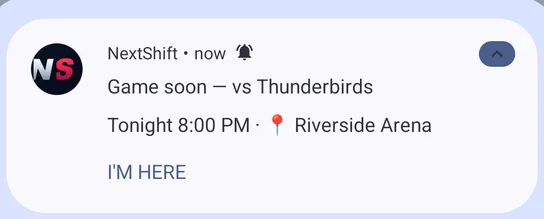
Turn on rink arrival and your phone spots you pulling in before a game and offers to start your watch. One tap on I'M HERE and the watch is running, with the right team, game and position already set. It's off by default; turn it on in Settings.
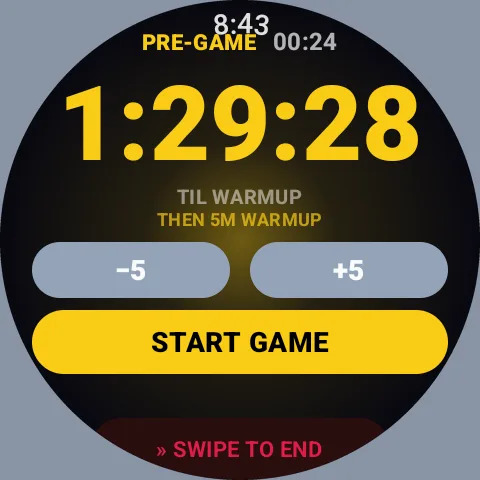
A countdown to the actual puck drop
If your game is on your schedule, the watch counts down to the real puck drop, then runs your warm-up, then the game. Start it in the parking lot and forget about it. Warm-up length is set per team, because it really belongs to the rink.
Your game is the game
A session used to run from the moment you armed the watch, so arming it thirty minutes early turned a 62-minute game into a 96-minute one, and everything divided by time came out wrong. A session is now the game.
Goalie mode
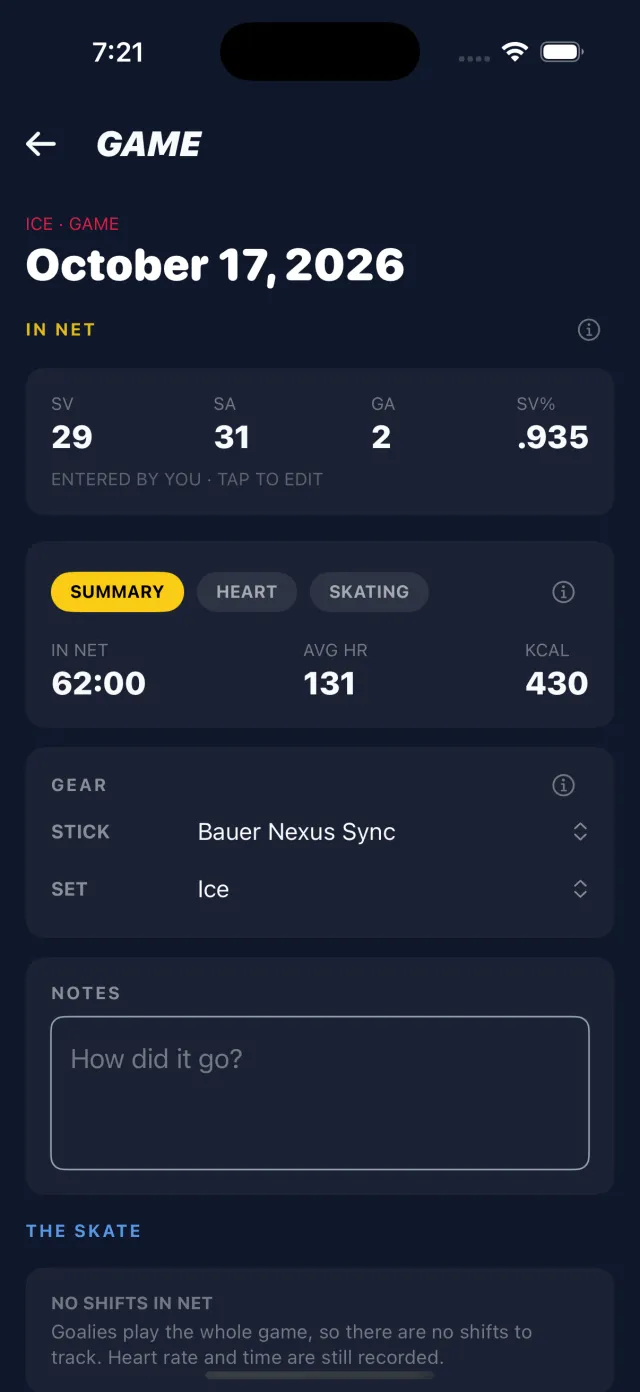
Set your position per team, or pick it when you start. After the game, enter shots against and goals, and you get save percentage and a season roll-up alongside your heart rate and time in net. Goalies no longer get a shift count or a comparison against NHL forwards.
Also new
- Tournaments and one-off events: paste the schedule link or search by name.
- Game summaries about half as long, with the numbers on the cards where they belong.
- Swipe, then hold, to end a game, which a glove cuff can't do by accident.