Version 26.8.16 is rolling out on iPhone, Apple Watch, Android and Wear OS. The headline is a number we've never been able to give you before, and a game screen rebuilt to make room for it.
Strides
Until now everything the app measured was movement: how fast, how far, how long. None of it could tell skating apart from anything else your arm happened to be doing. Strides can.
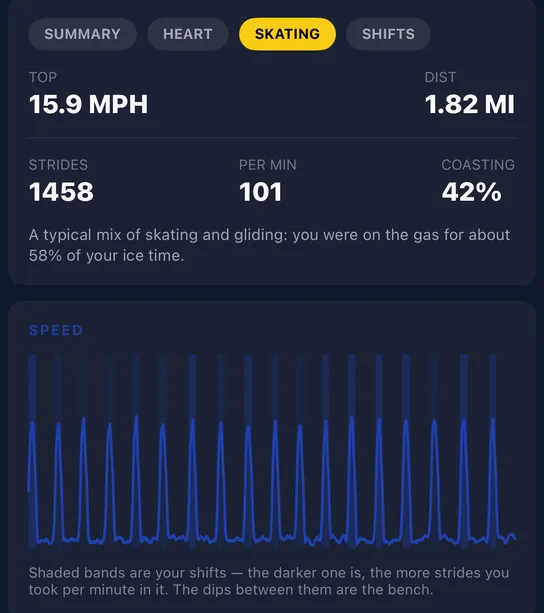
Every shift now carries how many strides you took, how many per minute, and how much of the shift you spent coasting. Coasting is counted on strides, not speed, because it turns out that nearly half the seconds where speed reads zero still have a stride in them.
The game screen is rebuilt
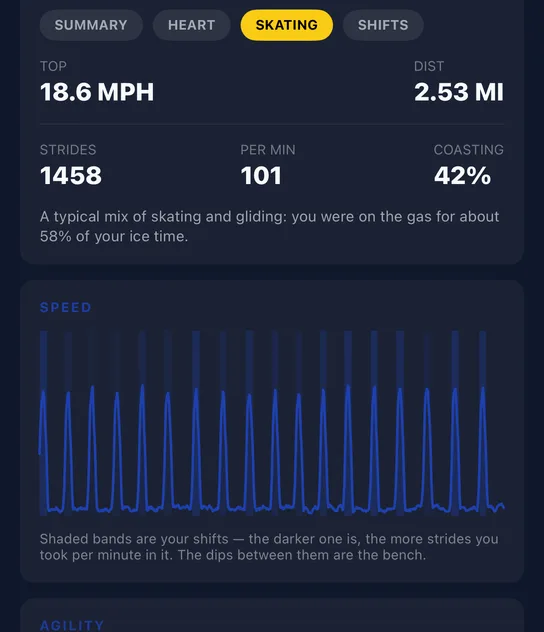
The old game screen was one long scroll, and nobody reached the bottom of it. It's now a card with tabs (Summary, Heart, Skating and Shifts), with the charts pulled up into it. On Shifts you step through your shifts one at a time, each with its own clock, speed trace and heart-rate trace.
Ending a game now waits for you
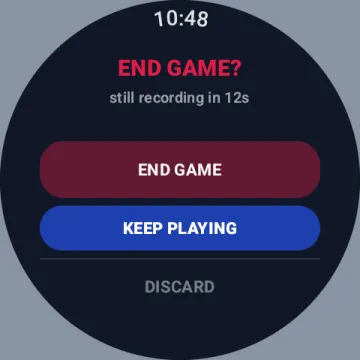
Ending is the same on both watches: swipe, then confirm. What changed is what happens if you do nothing. The countdown used to end your game when it ran out. Now it keeps recording, so a swipe you didn't mean (a glove cuff, say) costs you nothing. Discard has moved away from the end button and needs a longer hold. And if you walk off with the game still running, the watch asks you about it within fifteen minutes.
Glove Guard comes to Wear OS
Switch it on and the screen ignores every touch while you play, so a glove cuff can't reach anything. Turn the crown to unlock; it re-locks itself about ninety seconds later.
Also new
- Post-game heart-rate recovery on the Heart tab: how long after the final whistle it took to get back to your resting rate.
- "Sync with Phone" replaces "Refresh Schedule" on both watches, and tells you what arrived.
- Fewer phantom shifts on Apple Watch, and a fix for games that lost their team after a cold start.