Everything from your wrist, after every game
Wear your Apple Watch or Wear OS watch, play, and NextShift does the rest: every shift, your speed, your heart rate, your gear and your league, with nothing to press mid-game.
Every shift, without pressing a thing
The watch tells skating from sitting on the bench using its motion sensors and your heart rate. No GPS needed, no buttons, and it works in any arena.
- Ice time, shift count, and every shift's length against a 45 to 60 second target
- Work-to-rest ratio, and shifts over two minutes highlighted
- Step through shifts one by one, each with its own speed and heart-rate trace
Speed, distance and strides
Top speed, distance, strides per minute and how much of the game you spent coasting. Speed is estimated from your wrist, and we checked it against rink video of real rec games: on a typical shift it lands within about 1 mph.
- Pace through the game: did you finish stronger than you started?
- A top speed that ignores glitches, like the jog to the handshake line
How hard you worked, and how fast you recovered
Your heart rate through the whole game, shift by shift. See how quickly it drops on the bench between shifts, and how long it took to come down after the final buzzer.
- Bench recovery between shifts, and after the game
- Game intensity and calories
- Saved to Apple Health or Health Connect
Your gear, and every game it played
Add your sticks, skates and protective gear. Start typing a brand and pick the model; NextShift knows the current lines from the major brands, stick curves included.
- A stick for every game: your default, a stick per team, or pick one on your watch before puck drop
- Stick careers: retire a stick and see its games, points, lifespan and cost per game, shared as a story card
- Skate care: how close each pair is to a sharpening, or a wheel rotation for roller, on your own schedule
- Ice and roller sets that share whatever you wear for both
Schedule, scores and standings, synced for you
Find your rink and team once. NextShift pulls your league's schedule, final scores and standings, keeps them up to date, and matches each game you track to the game on your schedule.
- Your next game and last result on Home, with a countdown on your watch
- Head-to-head record against tonight's opponent
- Pre-game reminders, schedule-change alerts and quiet hours
- Tournaments and one-off events, added by link or by name
You against you
Every game placed against your own last ten, and your season at a glance: totals, trends, training load and how your numbers compare with an NHL player at your position.
- Add your own goals, assists and plus/minus
- An AI-written breakdown after every game, and a weekly review
- Badges for milestones, and export to CSV
Built for gloves and a sweaty visor
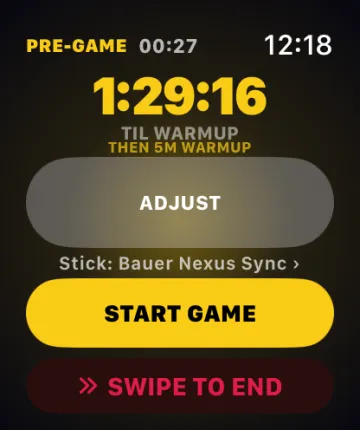
Start from tonight's matchup in one tap, or tap I'M HERE on your phone as you arrive at the rink. The watch counts down to the real puck drop, runs your warm-up, then tracks the game.
- Glove Guard locks the screen while you play; turn the crown to unlock
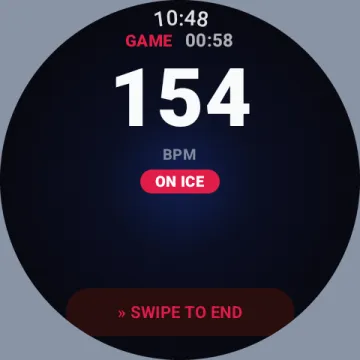
- Ending takes a swipe and a confirm, so a cuff can't end your game
- Big heart rate and an ON ICE / ON BENCH badge you can read mid-shift
- Apple Watch with iPhone; Wear OS 3+ with Android (Pixel Watch, Galaxy Watch 4 and later)
A mode for the one in net
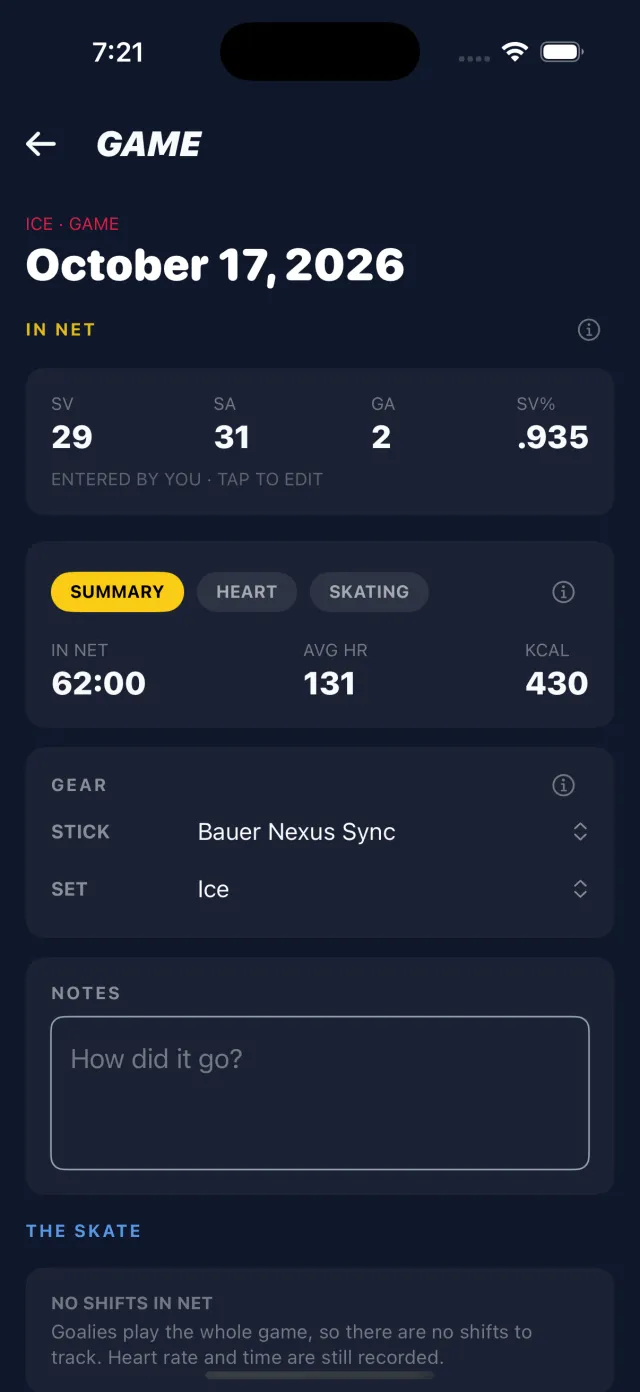
Goalies don't have shifts, so NextShift doesn't pretend they do. Enter shots and goals against after the game and get save percentage and a season roll-up, with heart rate and time in net alongside.
And a lot more
Practices
Their own session type, with active time instead of shifts, kept out of your game stats.
LiveBarn links
If your rink records on LiveBarn, jump to each shift in the video.
Player Cards
Turn a photo and your season into a trading card, with an automatic cutout and a holographic finish.
Story cards
Share any game, or a retired stick's whole career, as an image.
Widgets
Your next game on a Wear OS tile, an Apple Watch complication or an Android home-screen widget.
Shift Spotlight
Each game picks your standout shift, and says why it won.
Referees
A session type for officials that doesn't count bench trips.
Guest mode
Look around the app before you create an account.