How automatic hockey shift detection works
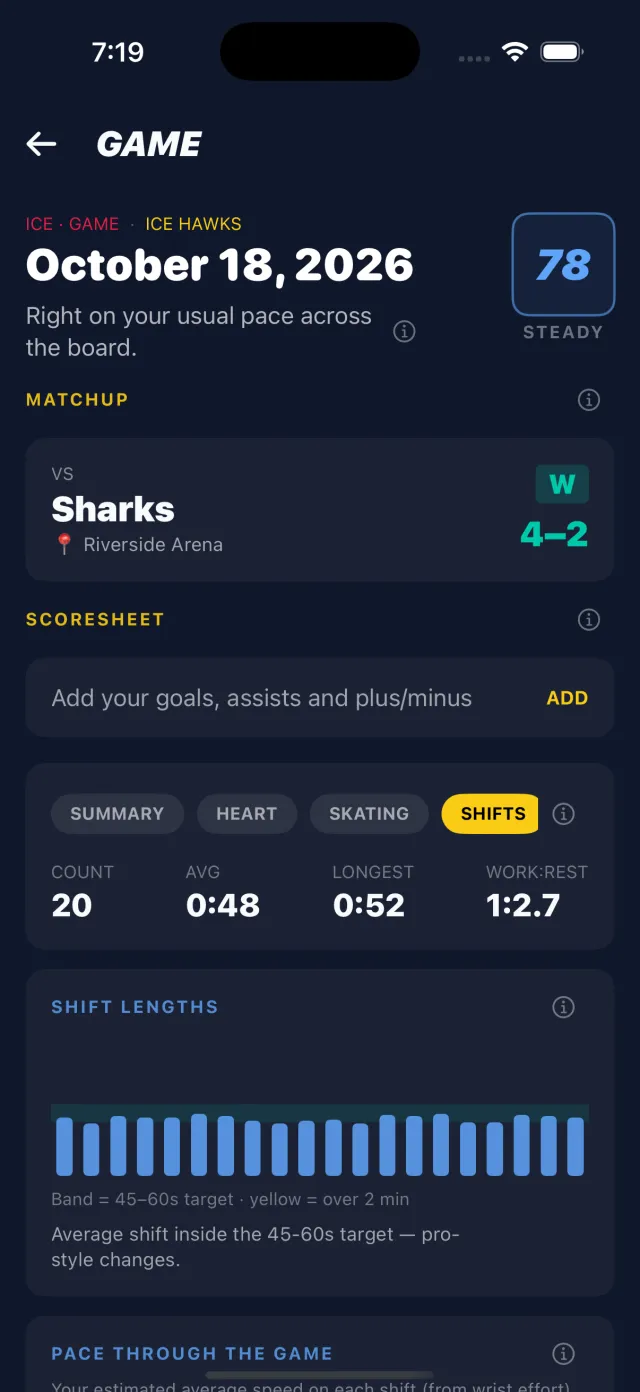
A fitness tracker treats a hockey game as one long workout. But hockey is played in shifts: forty-odd seconds of skating flat out, then a couple of minutes on the bench. NextShift finds every one of those shifts on its own, from the watch on your wrist, so you never have to touch it during a game.
Why not tap a button?
Some apps ask you to tap the watch every time you go over the boards and again when you come back. Nobody does that reliably with gloves on and no breath left, and one missed tap ruins the whole game's numbers.
What the watch reads
Skating has a signature. Every stride swings your arm, and crossovers, stops and stickhandling jolt it. Sitting on the bench, your wrist is mostly still. The watch's accelerometer and gyroscope pick that up many times a second, and your heart rate, which climbs on a shift and falls on the bench, backs it up.
The watch doesn't switch on a single reading. Starting a shift takes a clear burst of skating, and ending one takes a sustained stretch of rest, so a fist bump on the bench isn't a shift and a glide through the neutral zone isn't a line change. It doesn't use GPS, which doesn't work in an arena anyway.
The hard part
- Standing on the ice in a stoppage looks a lot like sitting on the bench. It's the hardest case there is.
- Quick changes leave seconds on the bench between two shifts, so they can blur into one.
- The end of the game: skating off the ice looks like a shift, so the watch trims time tracked after the final buzzer and tells you it did.
How we check it
We film our own rec-league games and compare the watches with the rink video, shift by shift, on Apple Watch and Wear OS at the same time. Every change to detection is measured that way before it ships, and the same work is behind the speed estimate.
What you get from it
- Ice time and shift count
- Every shift's length against a 45–60 second target (why that target)
- Work-to-rest ratio and bench recovery
- Speed, strides and heart rate for each shift